 Lookupper
 Using in games
Lookupper is a language learning tool for PC and Mac users, particularly gamers. It helps you learn a new language by interacting with the content on your computer. I came up with Lookupper when I was playing Disco Elysium in English and got frustrated with constantly switching to a translator for unfamiliar words or phrases.
This guide will use the PC version of Lookupper and Disco Elysium as the example game. The macOS version is similar but has fewer features. Currently, the Mac version lacks Looktionary, Context Translator and Anki exporting.
Download Lookupper (if you haven’t yet)
- Mac: App Store
- Windows: Microsoft Store
Initial Setup
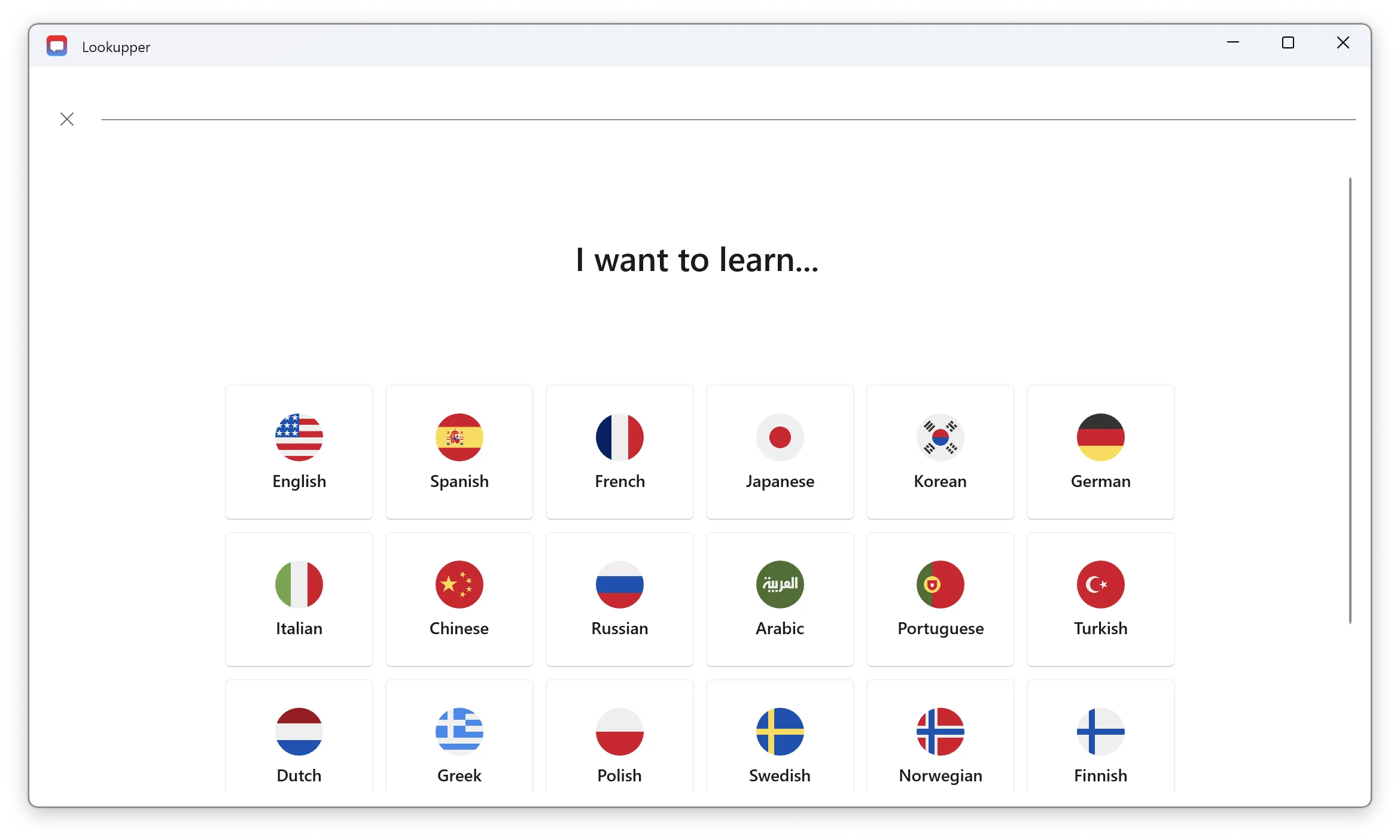
- After installation, you’ll see onboarding screens.
- Select the target language (the language you want to learn) and the language for translations (your native language).
- Press
Alt + Q(or the shortcut you picked) to start looking up words. You are now ready to go. To start language learning through the game, follow these steps:
Step 1: Choose a suitable game
The best games for language learning have lots of text and let you take your time reading it.
👍 Recommended games: Disco Elysium, Fallout 1-2, Baldur’s Gate 3, 80 Days.
❌ Unsuitable games: Call of Duty, Counter-Strike, Need for Speed.
Step 2: Change the game language
Set the game language to your target language in the game settings or Steam settings. Since we want to immerse ourselves in the foreign language, everything should be in that language.
Step 3: Set up Lookupper dictionaries
Choose the best option for your needs:
- Offline Dictionaries: If you’re proficient in the target language or playing offline, opt for offline dictionaries. Install your preferred ones. Arrange dictionaries according to your preference, with the bilingual dictionary ideally placed at the end of the list.
- Looktionary: For an easier experience, use Looktionary, the AI-powered dictionary designed specifically for learning through games. Currently, it’s available only on Windows. Keep only this dictionary enabled.
- Context Translator: Use it as a last resort for complex phrases or when other dictionaries don’t suffice. Available only on Windows.
Windows-Specific Setup
- Enable Borderless Window mode for your game to ensure that the Lookupper pop-up can open. Fullscreen games can block other windows from appearing on top of them. If the game has no such mode, run it in windowed mode and click Fullscreen next to the game under Game and program profiles in Lookupper’s settings.
Step 4: Play Using Lookupper
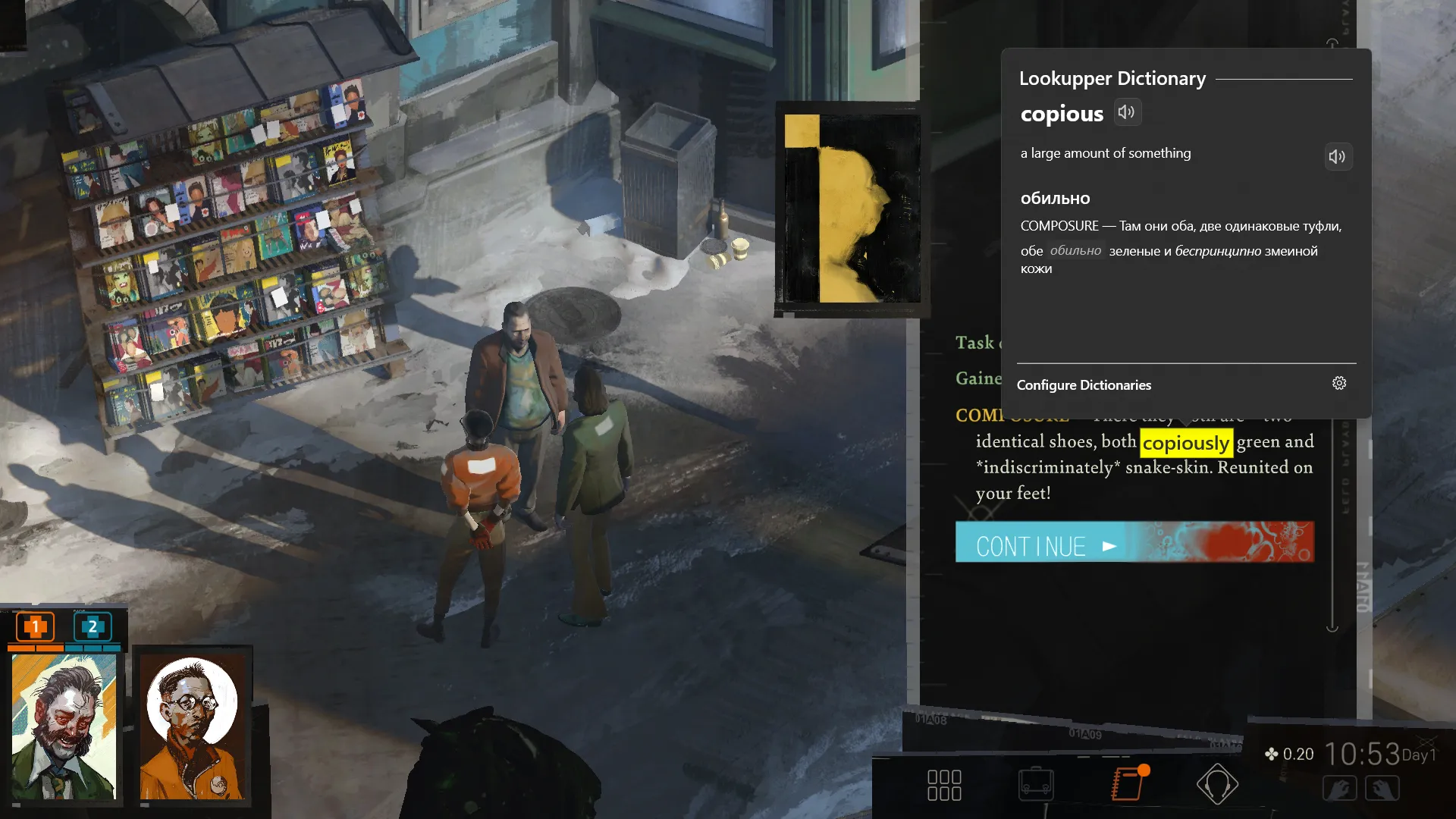
- Run the game and play as you usually do.
- If you encounter an unfamiliar word or phrase, hover over it and press
Alt + Qto look it up. - Try to understand the word and the meaning of the sentence.
- Don’t stress about understanding every sentence; enjoy the game and let learning happen naturally.
Step 5: Review your words
The words you looked up are automatically saved in the Words tab of Lookupper. When you finish playing and have free time, revisit this page to check how well you remember the words.
Step 6: (Bonus) Memorize your words using Anki
Lookupper can automatically create Anki cards for memorization and expanding your vocabulary. For more information, refer to the guide: Saved words and Anki
Tips and Tricks
- Looktionary helps you learn words by providing definitions in the target language. If you still don’t understand a word after seeing the definition, you can reveal the translation.
Troubleshooting on Windows
- Lookup pop-up doesn’t open: Use Borderless Window mode on Windows to prevent the game from blocking Lookupper.
- Wrong words: Sometimes, the OCR engine might struggle with text in certain games, causing words to be detected incorrectly. To fix this, make sure the Recognition language in Lookupper’s settings is the language of the game’s text. If that doesn’t help, write to me.
- Scrolling lookup window also occurs in game: This can happen with some games. Turn on Focus for the game under Game and program profiles in Lookupper’s settings. If the game still reacts to the mouse, choose Freeze there.
- The game minimizes or loses sound: Turn off Focus for the game under Game and program profiles in Lookupper’s settings.